
Making Minecraft's camera do what it was never designed to do
Seven months ago, I stumbled across a problem. I was looking to create a niche effect found in the Legacy console editions of Minecraft: the roll effect when gliding with an Elytra in modern Java Minecraft. Unfortunately, without using client-side mods, pretty much everyone agreed that this effect was simply impossible to achieve. This is no longer the case.
The initial solution and GameTime
While Minecraft generally limits how much control a server can have over the client's camera, there is one way: by embedding custom shaders into resource packs. Vanilla servers can force clients to use resource packs, meaning every connecting player automatically gets those shaders without installing anything. And these shaders control almost everything the game renders, from UIs, to the world, to entities.
I discuss this further in a previous post: some properties which shaders access can be influenced by the server, using packets, and one of those properties is GameTime. By manipulating GameTime, we can embed data and communicate it to shaders.
This is the first step to achieving the Elytra roll effect. If we modify the correct world shaders, we can rotate the camera. Great!
The problem with statelessness
Minecraft's shaders provide no conventional persistent state between frames. This was the largest issue I ran into when trying to implement the effect. While we can modify GameTime, we can only do so from the server, and we can only do so at 20 Hz (even putting aside issues like network latency). The server could tell the shader where the camera should be 20 times per second, but the game might render 60, 120, or several hundred frames per second. The shader had no memory of the previous update, so it had no way to smoothly fill in the frames between them.
Other than that, shaders are purely stateless, and exist only to render the current frame. So while we can render the camera, it looks poor and uninterpolated.
So, how do we get around this?
Storing state in shaders
This is the problem that took the most time to solve. I spent months trying every conceivable way: specific Mac/Windows features, tens or even hundreds of different rendering techniques in both Vulkan and OpenGL, even trying to ask Mojang employees to add a feature for this! Nothing worked. I was about to give up, until I made a breakthrough:
Shader-private arrays
A large, dynamically indexed, shader array appeared to retain some structured data. It was messy, it wasn't bit accurate, and it jittered a lot. This was relying on implementation behaviour rather than anything guaranteed by GLSL, which explained why it behaved differently across drivers. But with some safety mechanisms and checksums, I got it working! Except, just on Mac. It turns out, NVIDIA drivers on Windows just don't work the same way, and it was too unreliable to use in a production environment. The data was simply too old and corrupted.
Back to lightmap.fsh
I had discussed this in a previous post, but lightmap.fsh is a shader that is always active, and is used to render the lightmap. It's quite notable because it's accessible by most world shaders as it renders a texture that they use.
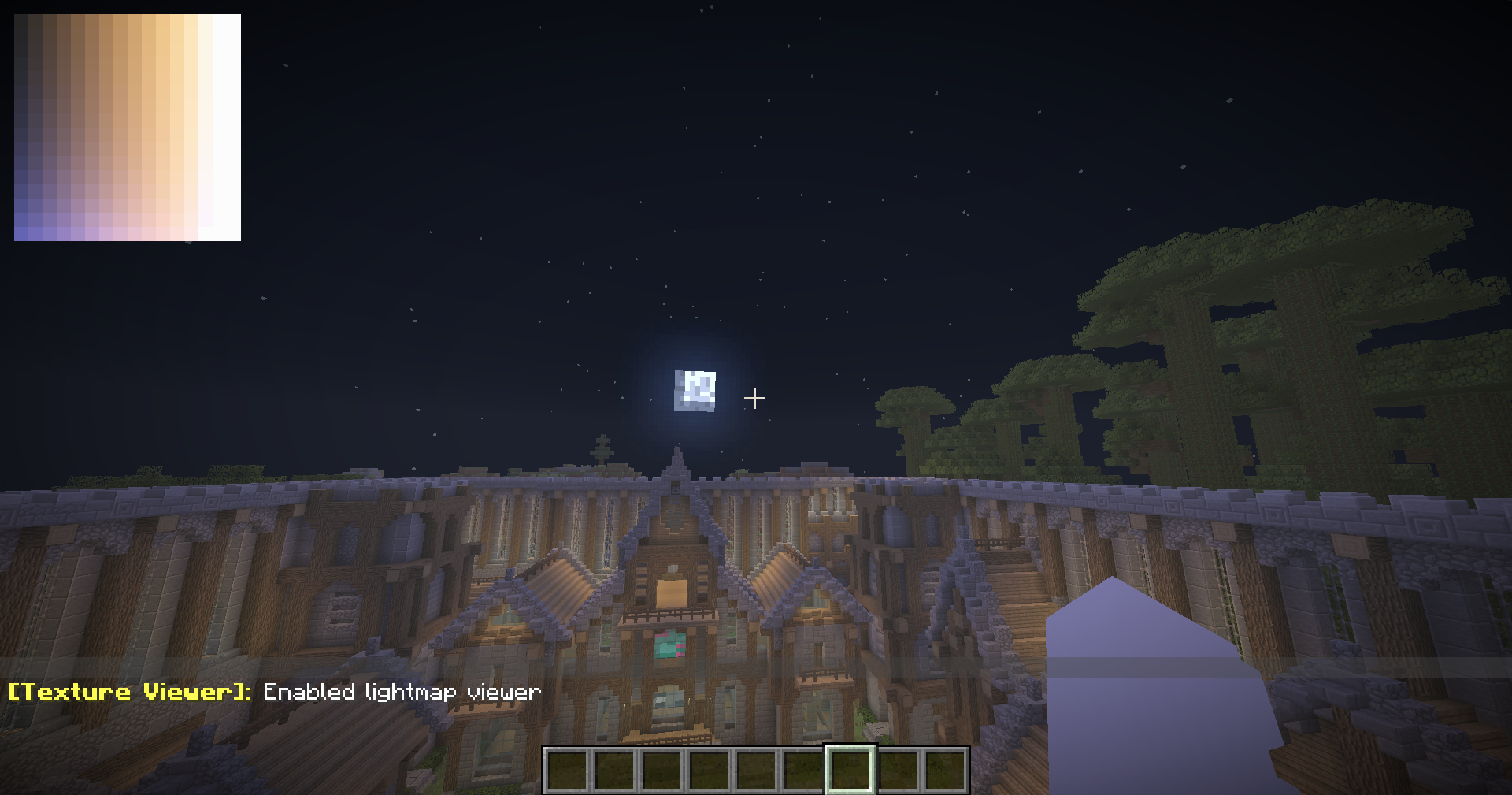
It turns out, if you only render half of the lightmap in a specific frame, it pulls the other half from the previous frame.
Frame N
┌────────────┬────────────┐
│ new data   │ old data   │
└────────────┴────────────┘

Frame N+1
┌────────────┬────────────┐
│ retained   │ new data   │
└────────────┴────────────┘
While useful, I initially wrote this off at the time for one very specific reason: lightmap.fsh cannot read itself. At the time, we were limited by how much bandwidth we could communicate to shaders, and using that bandwidth would also break the one clock that
shaders had to work with.
However, in Minecraft 26.2, Mojang added a new feature called Timelines. Skipping over some details, these allow us to send far, far more data to the lightmap shader. So instead of the lightmap shader having to do its own calculations about timing and state, we can just send a start frame, end frame, and keyframed data to it from the server, and the lightmap can simply pass that on to the world shaders which can interpolate the camera position and rotation. The lightmap is just acting as storage for keyframes, and the world shaders are interpolating between them - and they can do this all without any state.
That was the breakthrough: the server no longer needed to drive the camera frame-by-frame. It just needed to provide keyframes.
Using our newfound storage
The key detail here is that we can do far more with this than just a simple Elytra roll effect. We can now control the camera in full 3D space, with XYZ positioning, roll, pitch, yaw, and FOV control. This is unheard of in Minecraft Java Edition - I was told by the community that this was impossible, and no one thought of implementing these specific features in this way.
Java Edition normally gives servers extremely limited control over a player's viewpoint. Arbitrary camera roll alone has historically required client modifications; freely animating position, orientation, and FOV together effectively turns the player's camera into a general-purpose cinematic camera.
But now, it's possible. The abilities this opens for cinematic adventures or experiences in Minecraft are huge, and I can't wait to see what people do with it.
I've packaged this all into a plugin, with a full in-game editor and a simple API for developers to use. You can find Ultimate Camera on BuiltByBit to try it out for yourself.